🚦🟢👨💼CA - MFA for Admin Portals 4h
No one gets on the bridge without showing ID. Open the admin portals and you get MFA and a four-hour clock, whatever role you are, or are not, holding.
What this policy is about 🛂
The admin-role policies guard people. This one guards a place. It targets all users, but only when they open the management surfaces, the Microsoft Admin Portals app and the Windows Azure Service Management API, and requires MFA with a four-hour session. Walk into the control room and you badge in, captain's pips or none.
Where the role-based policies ask "are you an admin?", this one asks "are you touching admin controls?", and challenges regardless of the answer to the first question.
Roles change, get assigned temporarily, or get granted to an account that was not on anyone's admin list this morning. Scoping to the portals themselves means the moment anyone reaches a management surface, they are challenged, even if their role slipped through a gap in the who-based policies. Belt, meet braces.
Why this matters 🕵️
Role-based targeting is only as complete as your role hygiene, and role hygiene in a real tenant is never quite complete. Someone gets a role for a project and keeps it. An app registration ends up with more than it needs. A guest is added to something they should not be. Guarding the portals catches all of that at the door: it does not matter how you ended up able to open the Azure portal, opening it triggers MFA and a fresh four-hour clock.
It also quietly raises the bar on reconnaissance. The admin portals are where an attacker goes to look around after landing an account. Making that surface demand MFA and a recent reauth turns a casual poke into a wall.
🛠️ Configuration
Where: Entra admin center → Protection → Conditional Access → Policies.
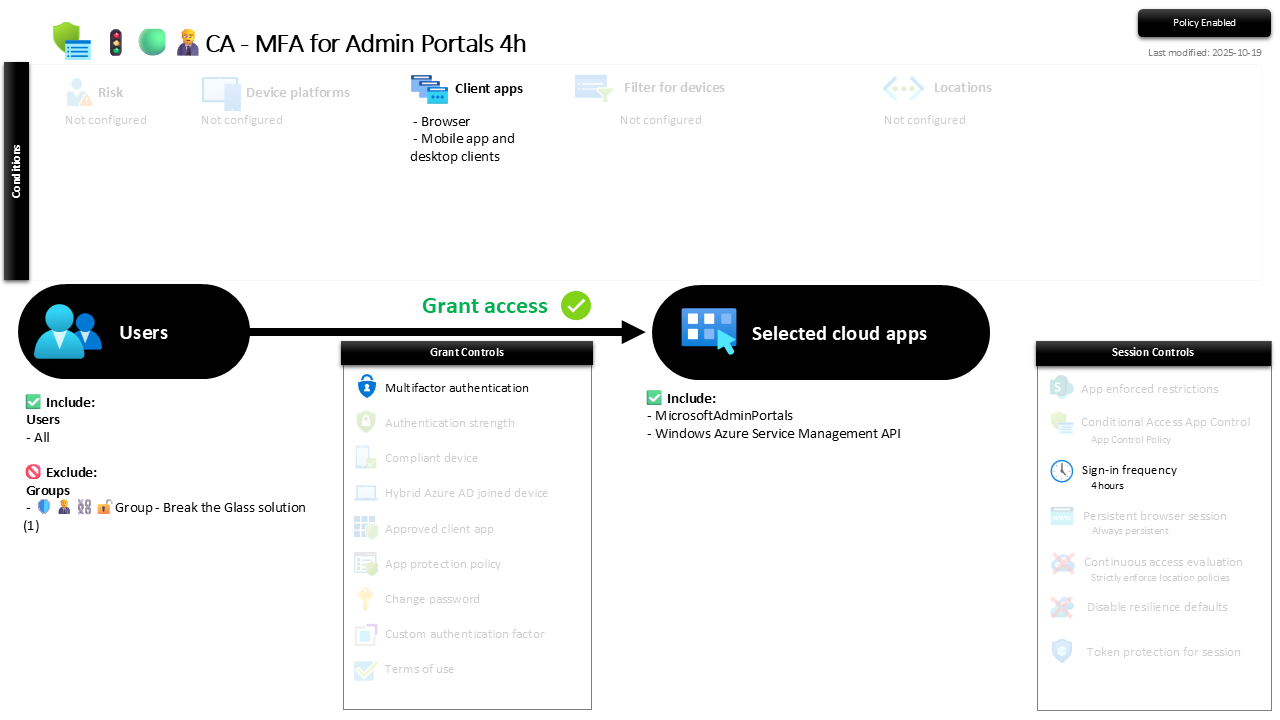
| Setting | Value |
|---|---|
| Users, include | All users |
| Users, exclude | 🛡️🧑💼⛓️🔓🚦Group - Break the Glass solution |
| Target resources | Microsoft Admin Portals · Windows Azure Service Management API |
| Conditions, client apps | Browser + mobile app and desktop clients |
| Grant | Require multifactor authentication |
| Session | Sign-in frequency, 4 hours |
The "Microsoft Admin Portals" resource covers the Entra, Intune, Microsoft 365, Exchange and other admin centres in one target. The Azure Service Management API covers the Azure portal, CLI, PowerShell and ARM.
Roll it out in Report-only first, then On.
Caveats ⚠️
This complements the role policies, it does not replace them. A stolen admin token doing damage over Graph never opens a portal, so it never trips this. That path is covered by the role-based policies. You want both: guard the people and guard the door.
Includes All users on purpose. A non-admin who somehow reaches a portal should still be challenged, that is the whole value of scoping by resource. Do not narrow this to admin roles, that would just recreate the who-based policy and lose the point.
Break-glass is out. Emergency accounts are excluded so recovery through the portals is never blocked by a reauth loop mid-outage.
License and reversibility. Conditional Access is Entra ID P1, included in Business Premium. Clean-revert: switch it Off and the management surfaces lose their door guard, which is exactly the drift worth alerting on.
🔗 Related
- 🚦🟢👨💼CA - MFA for Admin Roles 4h: the who-based counterpart, guarding the people instead of the place.
- 🚦🟢👨💼CA - MFA for Admin Roles with High Priv 1h: the tightest leash, for Global Administrator.
- 🚦🟢👨💼CA - MFA for All Users: the tenant-wide floor.
Guard who your admins are, and guard the room they work in. This policy is the bouncer on the control-room door, and it does not care whose name is on the list. 🛂